
Facilities
Faculty and staff at the University of Oregon may reserve YLC facilities on a first-come, first-serve basis, with UO CRN-denoted language classes having first priority.
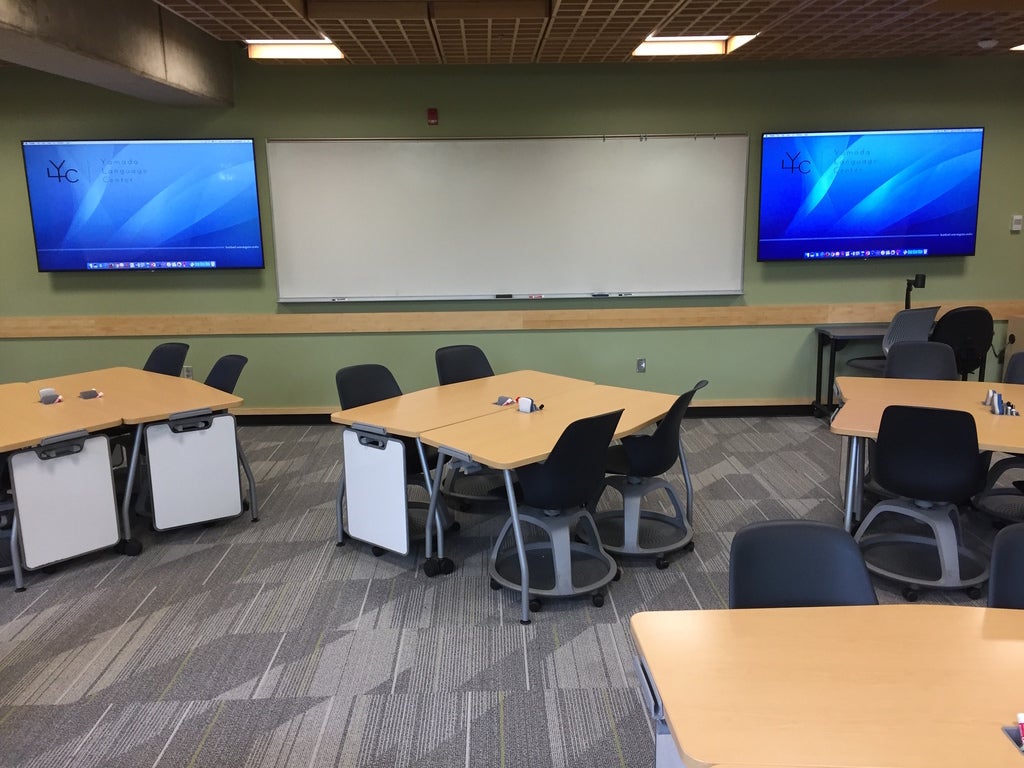
Our five classrooms are well-equipped for interactive teaching and have excellent technology to support a variety of course types. These include the recently renovated Steelcase Learn Labs: MCK 151, MCK 152, MCK 157, MCK 158 and MCK 159. We also can provide a set of up to ten laptops to any of the classrooms we support in McKenzie hall (48-hour reservation requested). Depending on availability.
MCK 175 is our student center and multipurpose room and is a comfortable venue for hosting webinars, talks, conversation clubs, and meetings that require good access to technology, especially videoconferencing.
Laptops
YLC has a small supply of laptops that are available to students for use in MCK 175 only. Instructors can request laptops for student use by signing a YLC property Check out Form available at the front desk.
To reserve a room:
Search the room schedules for an open time for a particular room.
Log in (at top of page) with your U of O email username and password
Once you find a room that is available for a particular date and time, click on the room, then click on the “Reserve Room” button.
After you fill out the form and submit it, you will receive a response, usually within two working days.
Submitting the form does not guarantee the reservation; you will receive a confirmation once the reservation is made.
Questions? Have a special request? Contact us.